Launching a WooCommerce Store: What to Prepare Before Your First Sales
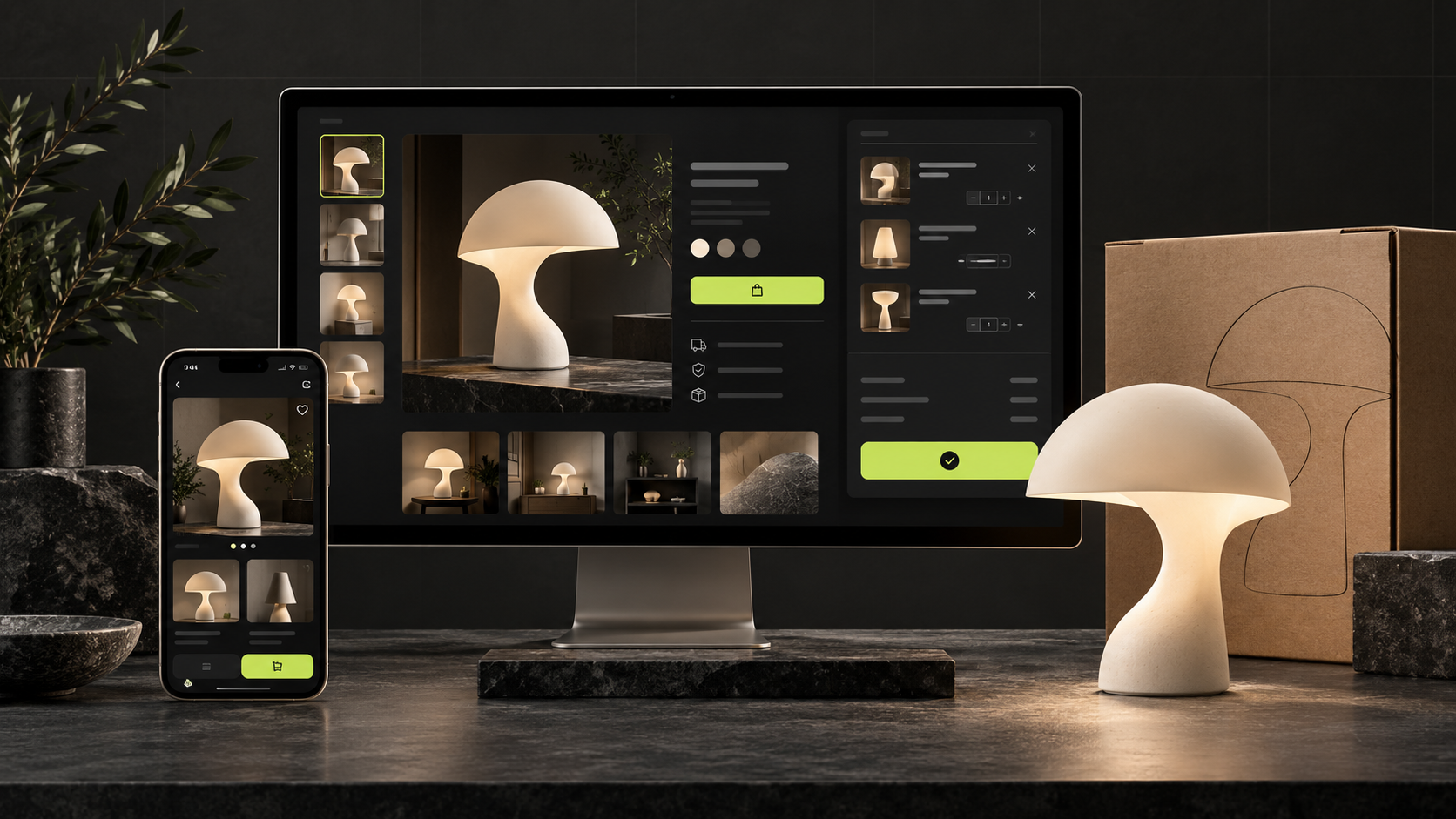
Building a WooCommerce store starts with a practical question: how will a customer choose a product, pay for it and receive the order? Design helps communicate your brand, but a sale also depends on a clear catalogue, accurate availability, understandable delivery terms and a team ready to fulfil the purchase.
This guide helps business owners prepare for development, set priorities and check their store before launch. We will cover products, budget, payments, SEO, analytics and the first steps towards attracting customers.
When does WooCommerce make sense?
WooCommerce adds online selling capabilities to WordPress. It is worth considering when you want a website with flexible content management and the ability to adapt your catalogue and ordering process. It can be particularly useful when your products need supporting content, such as guides, tutorials or comparisons between models.
Choose the platform after describing how your business works. List your products and variations, sales regions, languages, delivery methods, integrations and the person responsible for maintenance. A complex product configurator, wholesale pricing or multiple warehouse connections needs its own assessment. The name of the platform does not define the scope of the project.
If you sell a few items that require a consultation, a small catalogue with an enquiry form may be enough initially. A full checkout becomes useful when pricing, specifications and ordering terms are clear enough for customers to buy independently.
1. Define your offer and a realistic budget
Before working on the design, answer three questions: who buys your products, why they choose them and what could stop them from ordering. Clothing shoppers may need help with fit, furniture buyers with dimensions and delivery, and skincare customers with ingredients and usage. Those answers shape product pages and filters.
Separate the initial build from ongoing costs. Budget for catalogue preparation, design, payment and shipping setup, data imports, translations, testing and team training. Maintenance also needs resources: hosting, a domain, paid extensions where necessary, backups, updates and content management.
Set boundaries for the first release. You might begin with one market, one currency, your core product range and a straightforward delivery process. A loyalty programme or a complex account area can follow later if customers can complete their purchase without them. A defined scope makes development proposals easier to compare.
To prepare these decisions for your development partner, see our guide to writing a website brief.
2. Prepare a catalogue that helps people choose
Categories should reflect how customers look for products. For a lighting store, “Pendant lights”, “Table lamps” and “Wall lights” are easier to understand than internal collection names. Collections can still provide an additional route through the catalogue.
Create one consistent product spreadsheet with names, SKUs, categories, prices, availability, specifications and any weight or dimensions needed for shipping. Include image references and assign someone to keep the information accurate. Agree on attribute names before importing data so the same colour does not appear under several different labels.
WooCommerce variable products support separate prices, stock and images for individual variations, such as sizes or colours. Decide which combinations actually exist and how unavailable options should appear. The technical details are covered in the WooCommerce variable products documentation.
Consider a hypothetical lighting shop selling one lamp in two finishes. Customers should see the image, price and dispatch estimate for the finish they select. A general “in stock” message is unhelpful if their chosen version is only available to order.
3. Give product pages enough detail to support a decision
A useful product page answers questions that would otherwise go to your sales team. Alongside the name and price, show key specifications, available options, stock information, a clear purchase button and a short delivery explanation. Further details can sit below, but essential conditions should not be hidden in the footer.
- Include several views and details that influence the decision: texture, fittings, what is included or a useful sense of scale.
- Explain what specifications mean in practice. Describe suitable uses and limitations instead of listing materials without context.
- Provide measurements, care guidance, compatibility information or instructions where they matter to the product.
- Make actual exchange and return terms easy to find, along with a way to contact the seller. Publish genuine reviews only.
Avoid adding sections simply to make a page longer. For a straightforward product, a concise description with good images can be more helpful than a long text that repeatedly restates its name.
4. Agree on payments, shipping and fulfilment
Choose a payment provider that supports your business location, currencies, required payment methods and contractual needs. Check that its extension works with your chosen checkout. Installing a plugin alone does not prove that a payment will succeed or that the order status will update correctly.
For delivery, define your service areas, carriers, dispatch times, who pays and any exceptions. If shipping costs require a separate quotation, explain this before the customer confirms the order. If you offer free delivery above a threshold, test baskets both below and above it.
Agree who reviews new orders, verifies payment, packs goods and responds to customers. Document the process for unpaid orders, unavailable items, cancellations and refunds. The store should support that workflow rather than create an additional order list that nobody owns.
5. Test checkout across screen sizes
On a phone, unnecessary fields, awkward selectors and buttons covered by floating widgets become particularly noticeable. Ask for information needed to fulfil the order, show errors beside the relevant fields and retain entered details after a failed attempt. If customer accounts are not essential to your sales model, consider offering guest checkout.
Check phones, tablets and desktop computers separately. Tablet layouts can fail at intermediate widths where two columns become cramped before the mobile layout takes over. Customers should be able to see the total, delivery option and confirmation button without horizontal scrolling.
Returning from the payment provider is another important journey. The customer needs to know whether payment succeeded and what happens next. A failure message must not look like an order confirmation.
6. Build SEO into the store before launch
Start by matching each page to its purpose. A category helps shoppers choose a product type; a product page helps them evaluate a specific model. A “Table lamps” category and an individual lamp page address different needs. Trying to target every product search with the homepage makes both navigation and content planning harder.
For priority categories and products, prepare clear headings, individual SEO titles and meta descriptions, helpful copy and meaningful image descriptions. The wording should reflect what you actually sell. Reusing one template with a different keyword does little to explain the differences between products.
Products should be reachable through ordinary links from categories, and categories through navigation. This approach is described in Google Search Central’s ecommerce navigation guidance. Plan filters separately: every combination of colour, price and sorting order does not need its own indexed page.
Before launch, check that intended pages are accessible for indexing, review your sitemap and preferred URLs, and prepare redirects if the store replaces an existing website. A bilingual store also needs complete translations of products, categories and purchase terms, with the correct relationships between language versions.
Product structured data should agree with the price and availability customers can see. Check it after configuring your theme and SEO extensions: competing sources of markup can introduce conflicting information. Google explains the relevant types in its ecommerce structured data guide. Markup alone does not guarantee a special search appearance or high rankings.
7. Measure purchases, not just page views
Page views do not tell you which products sell. For GA4, plan events for product views, adding to the cart, starting checkout and completing a purchase. Check the purchase value, currency and unique transaction_id, and verify that revisiting the confirmation page does not create a second purchase. Google documents these events in its ecommerce measurement guide.
Search Console helps assess search visibility, while correctly configured GA4 helps you understand activity on the website. Compare analytics with store orders and account for consent choices and blocked tracking. Do not send customer names, telephone numbers or email addresses in ordinary GA4 event parameters: Google Analytics policies prohibit sending personally identifiable information.
A practical store launch checklist
Begin in a test environment and use your payment provider’s test mode where available. Check the entire order journey, not just the message shown on screen. Verify the production settings separately when switching to live mode.
- Products: the image, price, currency, variation and stock level are correct; an unavailable option cannot be ordered accidentally.
- Cart: quantity changes, item removal and any promotional codes produce the correct total.
- Shipping: supported regions work, and an address outside your service area receives a clear explanation.
- Payments: successful, declined and cancelled transactions produce the appropriate order states.
- Operations: orders appear in the dashboard, notifications reach the intended recipients and someone owns fulfilment.
- Refunds: the team knows who initiates a refund and checks its result; the store status is reconciled with the payment provider.
- Usability: pages remain readable on phones, tablets and computers; links, search and forms work.
- Maintenance: a backup exists, the restore process has been checked and someone is responsible for updates.
Record the scenario, expected result, actual result and any fix. This gives you a reusable checklist for future changes to the theme, payment setup or shipping integrations.
How to attract your first customers
Avoid spreading your efforts across the entire catalogue at once. Choose a product group with a clear advantage, reliable availability and workable margins. Prepare strong product and landing pages, then make sure promotional messages match what visitors find after clicking.
During the first week, focus on purchase problems and customer questions. Next, improve descriptions where people need more information and test one acquisition channel with a defined budget. At the end of the month, compare spending, paid orders, returns and profitability. This is a practical way to investigate demand, not a promise of sales within a fixed period.
For organic search, create content that supports buying decisions: comparisons, instructions and answers to specific questions. A guide to choosing a pendant light above a dining table can lead to the relevant category. The article should help readers decide, and its product links should fit the advice.
Frequently asked questions
How much does a WooCommerce store cost to build?
The cost depends on the catalogue, design, integrations, languages, data migration and testing scope. Give prospective partners the same requirements and clarify what post-launch support includes. Otherwise, two prices may describe substantially different projects.
Can I launch with a small product range?
Yes, if the range forms a clear offer and is sufficient to explore demand. Accurate information and a complete purchase journey matter more than a large catalogue filled with unfinished product pages.
Does an online store need a blog?
A blog can help when customers need guidance on compatibility, sizing, care or comparisons before buying. Start with real customer questions and connect useful articles to relevant categories. Having a blog by itself does not create demand.
When will the store appear on Google?
There is no fixed deadline for indexing or ranking improvements. First check technical accessibility and page quality, then monitor the pages in Search Console. An indexed URL does not automatically mean visibility for competitive commercial searches.
Should I prioritise extra features or checkout testing?
Start with an accurate catalogue, clear terms and reliable ordering. Add features to solve specific problems, then assess whether they improve product selection, fulfilment or the economics of selling.
Planning an online store for your business?
AIDENTYKA can help you discuss the structure, design and development of a WooCommerce store. Prepare sample products, your main market, required integrations and a preferred launch date. These details make it possible to have a useful conversation about project scope.
Explore our case studies or tell us about your store to discuss the next step.